
External SSDs Buying Guide
Quick Summary
-
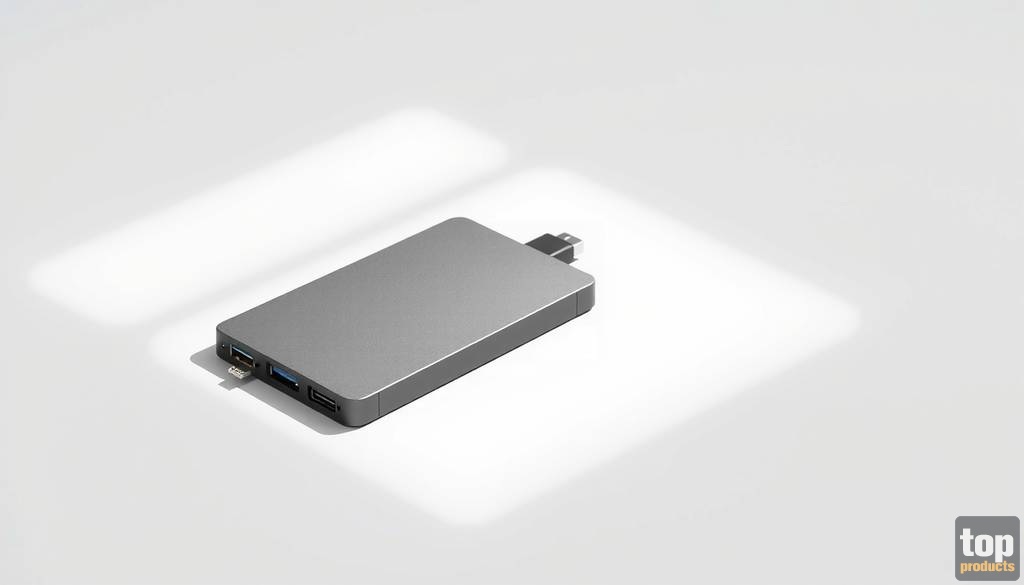
Crucial X10 1TB Portable SSD - Fast USB 3.2 connectivity and great durability.

-
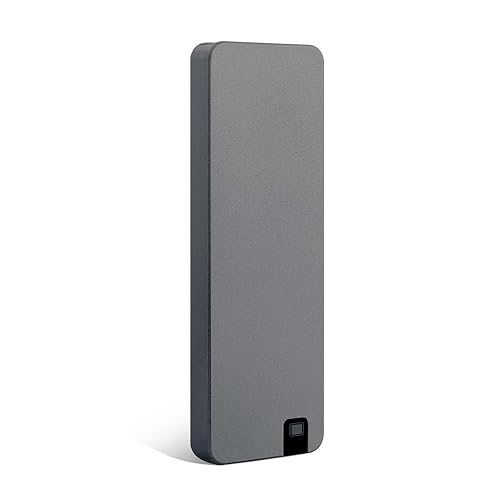
XNDUATANG 1TB Portable SSD - Affordable option with decent speed for everyday use.
-
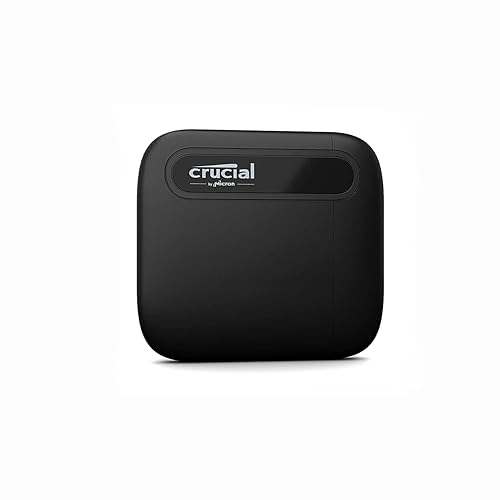
Crucial X6 1TB Portable SSD - Reliable storage with excellent performance at a lower price point.
-
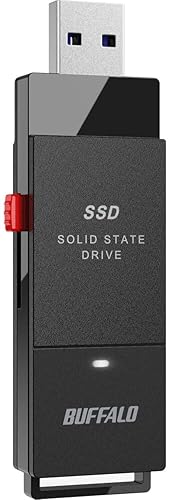
BUFFALO External SSD 1TB - Versatile and compatible with multiple devices like PS4 and PS5.
-
SSK 1TB USB Drive - Dual-drive functionality for added convenience and speed.

How We Picked
When selecting the best external SSDs, we considered several important criteria:
- Speed: Read and write speeds can significantly impact performance, especially for large files.
- Compatibility: We ensured that the drives supported various operating systems and platforms, including Windows, Mac, and gaming consoles.
- Durability: SSDs are often used for portable storage, so factors like shock resistance and build quality are essential.
- Price-to-value ratio: Each product was evaluated against its price, considering whether it offers good storage for the investment.
- Customer Reviews: We looked at user feedback to gauge durability and reliability based on real-world experiences.
Buying Guide / Decision Criteria
Speed and Performance
When it comes to external SSDs, speed is often the most crucial factor. Look for drives with high read and write speeds for optimal performance. Speeds over 500MB/s are typically considered good for everyday tasks, while those that exceed 1,000MB/s are excellent for tasks involving large files like video editing.
Capacity Needs
Consider how much storage you require. SSDs typically range from 250GB to several terabytes. For users needing to store large files like 4K videos, opt for higher capacities, like 1TB or more.
Portability and Design
Since SSDs are often used on the go, portability is key. Lightweight and compact designs are preferable, and some models even include rugged features for added durability during travel.
Pricing and Value
Set a budget before diving into your selection. While premium options may offer better speed, many affordable models still provide excellent performance for everyday tasks. Look for SSDs that provide the best balance between cost and features.
Compatibility
Ensure that the SSD is compatible with your devices. Most modern SSDs use USB-C connectivity, but some also offer backwards compatibility with USB-A, making them versatile for various setups. Consider if you'll need access to different operating systems or devices.
Reliability and Warranty
Look for brands that offer a good warranty period, as this can be an indicator of the drive's reliability. Customer service and support options are equally important in case you experience issues or need assistance.
Ranked Picks
1. Crucial X10 1TB Portable SSD
- Best for: Fast data transfer speeds; durable design; gaming storage.
- Consider if: You need excellent performance for large files and extensive storage.
The Crucial X10 1TB Portable SSD offers top-notch performance, rated at up to 2,100MB/s, which makes it ideal for users needing rapid access to diverse file types—from games to 4K video files. This external SSD is compatible with multiple operating systems including Windows, Mac, and Android, ensuring versatility across platforms. Its vibrant blue finish adds a touch of style, while its durable design allows it to withstand the rigors of travel, making it a solid choice for on-the-go use. The USB 3.2 connection enhances its speed, providing a solution for both personal and professional storage needs. View details.
2. XNDUATANG 1TB Portable SSD
- Best for: Budget-friendly pricing; decent performance; lightweight.
- Consider if: You need an affordable solution for everyday data transfers.
The XNDUATANG 1TB Portable SSD is an excellent choice for budget-conscious consumers looking for reliable storage at an accessible price. With speeds reaching up to 500MB/s, it's not the fastest on the market, but it adequately caters to daily use cases like file backups or transferring documents. Its compatibility with various devices such as Windows PCs, Macs, and even gaming consoles like the PS5 and Xbox makes it versatile enough for anybody's needs. Additionally, its compact size and light weight make it easy to carry around. Overall, it's a smart investment for anyone needing essential storage without breaking the bank. View details.
3. Crucial X6 1TB Portable SSD
- Best for: Excellent performance; highly reliable; budget-friendly.
- Consider if: You want reliable performance without exceeding your budget.
The Crucial X6 1TB Portable SSD provides a balance between cost and capabilities, offering speeds of up to 800MB/s. This makes it a solid choice for gamers and professionals who require speed and reliability but don't want to spend excessively. Compatible with both PC and Mac devices, it accommodates a broad range of users. This SSD also features a compact design, making it suitable for those who favor portability. Users appreciate the reliability of Crucial products, and the X6 continues this tradition. It's an excellent solution for everyday tasks such as backing up data or transferring large files. View details.
4. BUFFALO External SSD 1TB
- Best for: Compatibility with gaming systems; robust design; budget-friendly.
- Consider if: You need a versatile external drive for different systems.
The BUFFALO External SSD 1TB stands out for its compatibility with PS4 and PS5, making it a great option for gamers looking to expand their storage. With speeds of up to 600MB/s, it offers decent performance for quick access to your games and other files. Its dual connectivity through USB-C and USB-A means you can easily switch between different devices without fuss. Users have noted its robust construction, perfect for keeping your data safe during transport. It's an excellent choice for those looking to store their game libraries or simply need more space for multimedia content. View details.
5. SSK 1TB USB Drive
- Best for: Fast transfer rates; dual functionality; ideal for mobile use.
- Consider if: You want an SSD that offers Type C and Type A connectivity.
The SSK 1TB USB Drive is a unique offering in the market, featuring dual-drive functionality with both Type C and Type A connections. This versatility allows for greater convenience and ensures you can connect it to various devices without compatibility issues. With fast transfer rates of up to 550MB/s, it is suitable for quick file transfers, making it an excellent choice for photographers and content creators who require fast access to their files. The slim design makes it easy to pocket or carry in a bag, enhancing its portability. Overall, its dual-use capability gives it an edge over many single connector models. View details.
Who Should Buy What
Choosing the right external SSD depends on individual needs and scenarios. Here's a quick guide:
- Budget: For those looking for affordability, the XNDUATANG 1TB Portable SSD is an excellent choice with good performance without compromising your wallet.
- Midrange: The Crucial X6 1TB Portable SSD strikes a great balance between price and performance, suitable for everyday use.
- Premium: The Crucial X10 1TB Portable SSD is ideal for those who require high speed and functionality, perfect for extensive file usage.
- Small Spaces: The SSK 1TB USB Drive is compact and perfect for users who need portability alongside functionality.
- Power Users: The SSK 1TB USB Drive or the Crucial X10 1TB Portable SSD for fast data transfers.
FAQs
1. What is an external SSD?
An external SSD (Solid State Drive) is a storage device that connects to your computer or other devices via USB, allowing for fast data transfer and storage without needing to be installed internally.
2. How do I choose the right capacity for my needs?
Capacity needs depend on what you plan to store. Generally, 1TB is a good starting point for many users, while those dealing with high-resolution media may want 2TB or more.
3. Are all external SSDs compatible with both Windows and Mac?
While most external SSDs are cross-compatible, some formats may require reformatting for full compatibility. Always check specifications before purchase.
4. What factors influence the speed of an external SSD?
Speeds can vary based on the USB version (USB 3.0, 3.1, or 3.2) and the SSD's internal architecture. Look for drives with high read/write specifications for better performance.
5. Can external SSDs be used to run applications?
Yes, external SSDs can run applications if they are connected to a device and are fast enough to provide the necessary data transfer speeds.
6. Are there any risks of using an external SSD?
Risks are minimal, but like any storage device, there is a chance of data loss. Having backups in place is always advisable, alongside using reliable brands and models.
7. How can I ensure the longevity of my external SSD?
To maximize the lifespan, avoid exposing it to extreme temperatures, handle it gently, and make sure to safely eject it from devices after use.
8. Can I use external SSDs with gaming consoles?
Yes, many external SSDs are compatible with gaming consoles like the PS4 and PS5. Always check the specifications for best results.
Final Recommendation + Checklist
When choosing an external SSD, consider the following checklist to ensure you pick the right drive for your needs:
- Determine your required capacity based on storage needs.
- Evaluate speed requirements for your specific use cases.
- Consider compatibility with your devices, ensuring it meets your setup.
- Look for brand reliability and warranty options.
- Set a budget to narrow down options, balancing cost with necessary features.
With thorough consideration of these criteria, you'll increase your chances of selecting the perfect external SSD that meets your specific needs and lifestyle.